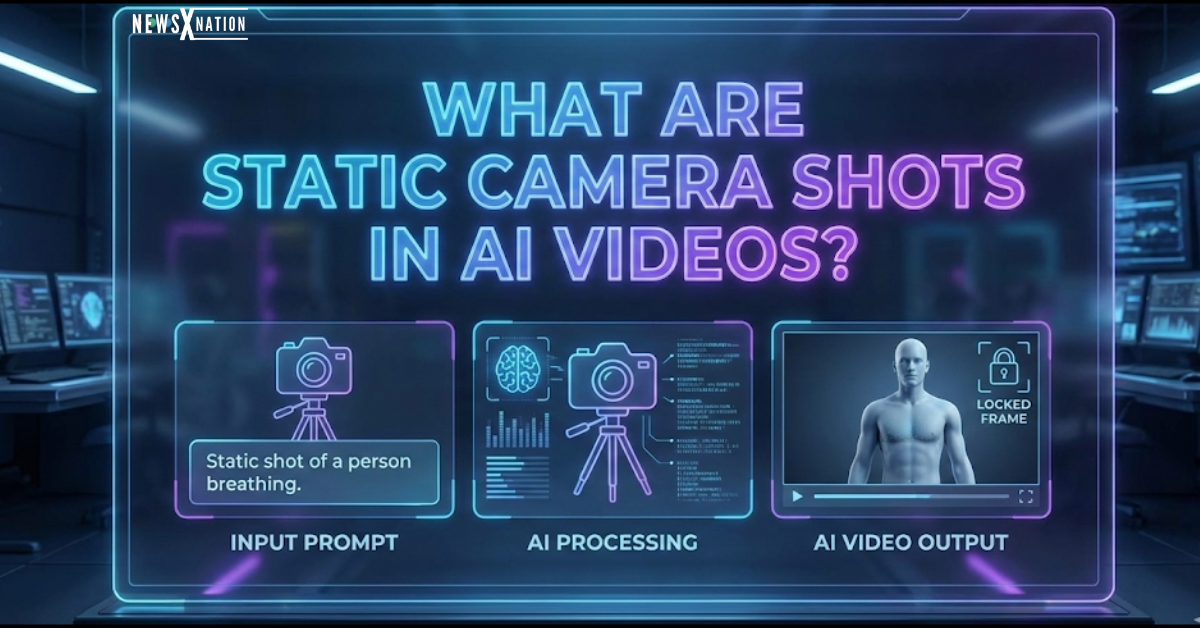
Quick Answer: What Are Static Camera Shots in AI Videos?
Static camera shots in AI videos are scenes where the virtual camera remains completely locked in one position throughout the duration of the clip. Unlike dynamic shots, there is no panning, zooming, tilting, or tracking involved. While the frame itself is stationary, the elements inside it—such as a character speaking, rain falling, or traffic moving—remain active.
These shots are the secret weapon for many AI creators because they drastically reduce visual hallucinations (glitches), resulting in cleaner, more professional footage.
Introduction
AI video generation has completely transformed the digital landscape, allowing anyone to conjure up high-quality visuals from a simple text prompt. But if you’ve spent any time using tools like Runway Gen-2, Pika, or Sora, you know the struggle: the moment the camera starts moving too fast, reality starts to break. Faces warp, hands disappear, and backgrounds melt.
This is where the humble static shot comes in.
Among all the fancy cinematic techniques available, static camera shots in AI videos are often the most underrated yet effective tool for improving realism and stability. They are the backbone of high-retention content like YouTube Shorts, Instagram Reels, and the booming “faceless” niche.
In this guide, we’re going to cut through the noise and cover:
- What these shots actually are (and aren’t).
- Why they are safer and better for beginners.
- The exact words to use in your prompts.
- How to use them without boring your audience.
What Are Static Camera Shots in AI Videos?
A static camera shot is exactly what it sounds like: a shot where the camera is “locked off” on a tripod. It doesn’t drift, it doesn’t swoop, and it doesn’t change angles.
In traditional filmmaking, this is the default state. In AI video, it means you are explicitly telling the generator not to perform:
- Panning (scanning left to right)
- Zooming (pushing in or pulling out)
- Tilting (looking up or down)
- Tracking (following a subject)
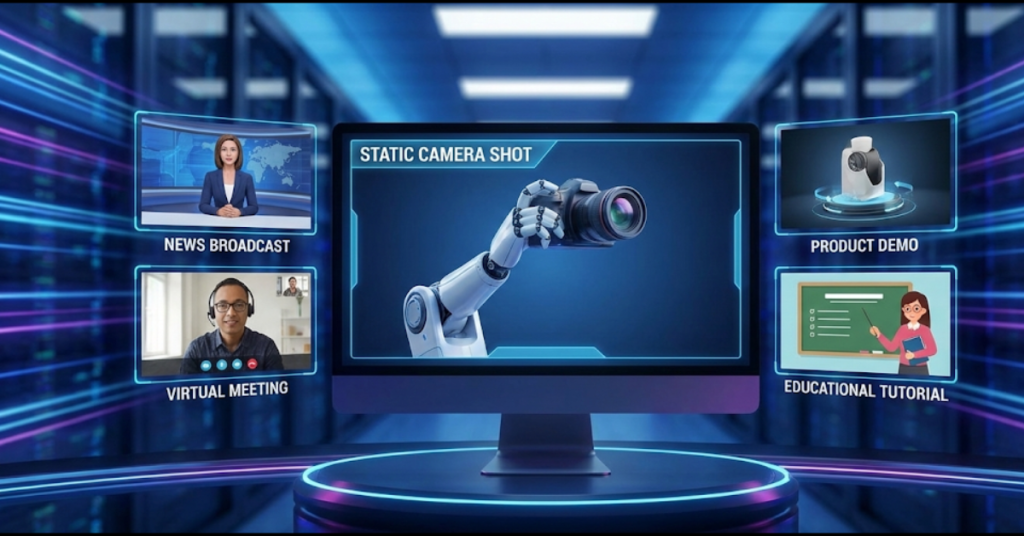
Instead, the motion comes entirely from the subject. Think of a news anchor reading the news, a fireplace crackling, or a hacker typing at a computer. The frame is still, but the world inside it is alive.
💡 Pro Tip: The “Micro-Motion” Rule When using static shots, ensure there is always “micro-motion” in your prompt. A completely still image is just a JPEG. To keep it a “video,” prompt for subtle movements like “dust motes floating in light,” “subtle wind in hair,” or “blinking eyes.” This tricks the viewer’s brain into seeing a high-quality video rather than a frozen picture.
Why Static Camera Shots Matter in AI Video Generation
Improve Visual Consistency
Let’s be honest: AI video technology is still in its “toddler phase.” When you ask an AI model to perform a complex camera movement—like a drone shot flying through a city—it has to generate thousands of new pixels every second. Often, it gets confused. This is why you see buildings morphing into trees or faces melting into the background.
Static camera shots eliminate this variable. By keeping the background constant, the AI can devote all its processing power to rendering the subject correctly. This leads to:
- Higher facial fidelity (eyes and lips look real).
- Consistent lighting (shadows don’t jump around).
- Solid backgrounds that don’t warp.
Ideal for Faceless AI Videos
If you are building a “Faceless” channel on YouTube or TikTok, static shots are your best friend. These formats rely heavily on information, voiceovers, and captions.
If the camera is flying around wildly, it becomes impossible for the viewer to read your captions or focus on the story. Static shots provide a clean “canvas” for your text overlays and graphics, ensuring your message actually lands.
Create a Professional and Cinematic Look
Beginners often think “more movement = better video.” But if you watch high-end cinema or documentaries, you’ll notice that 80% of the shots are actually static.
By using a grounded, static frame, your AI-generated videos instantly look more intentional and less like a tech demo. It mimics the look of a professional interview setup or a high-end commercial, making the content easier to watch for long periods.
💡 Pro Tip: The “Rule of Thirds” Composition Since the camera isn’t moving, your composition needs to be perfect. Don’t just prompt “static shot.” Prompt for specific compositions like “static camera, subject centered,” or “locked-off shot, rule of thirds placement.” A well-composed static shot is infinitely more engaging than a poorly composed moving one.
How to Prompt Static Camera Shots in AI Video Tools
Prompts are the steering wheel of your AI generator. If you don’t explicitly tell the AI to hold the camera still, it will likely add a “slow zoom” or a “pan” by default, because that’s what it was trained to do. You need to override this behavior.
Prompt Phrases to Use
To get that rock-solid stability, sprinkle these keywords into the start of your prompt:
- “Static camera, locked-off shot”
- “Fixed camera angle, no movement”
- “Tripod-mounted camera view”
- “Still frame with atmospheric motion”
- “No pan, no zoom, no tilt”
Using these AI video prompt camera control phrases acts as a guardrail, forcing the model to ignore its urge to move the lens.
💡 Pro Tip: Negative Prompting Many advanced tools (like Stable Video Diffusion or specific interfaces for Runway) allow for “Negative Prompts.” Use this section to type: “camera movement, shaking, zooming, blurring, morphing, panning.” This double-confirms to the AI that you want zero camera motion.
Best Use Cases for Static Camera Shots in AI Videos
You shouldn’t use static shots for everything (an action scene needs action!), but they are the industry standard for:
- YouTube Faceless Niche: Explaining history, facts, or mysteries.
- Educational Content: When clarity is more important than flashiness.
- Lofi/Ambience Channels: Think “Cozy Coffee Shop” videos that run for hours.
- Storytelling: Narrating a scary story where the focus is on the atmosphere.
- AI Avatars: Talking heads require stability for lip-syncing tools to work properly.
If your primary goal is to convey information without distraction, static camera shots are invariably the right choice.
💡 Pro Tip: The “Loop” Technique Static shots are perfect for creating seamless loops. If you generate a 5-second static clip of a cyber-city in the rain, you can cross-dissolve the end and start to create a 1-hour video background. This is impossible with moving camera shots because the start and end points never match up.
Are Static Camera Shots Bad for Engagement?
There is a common myth that static videos are “boring” and kill retention. This is false.
Engagement is driven by the story, the audio, and the pacing—not just camera movement. In fact, a chaotic video that makes viewers dizzy will cause them to click off faster than a stable one. High-performing static AI videos usually succeed because they include:
- A compelling script or voiceover.
- Dynamic subtitles (like Alex Hormozi style) that keep the eyes moving.
- Sound effects (SFX) that match the on-screen elements.
💡 Pro Tip: Artificial Camera Movement If you generate a static shot but decide later it’s too static, you can add movement in post-production! Bring your static AI clip into an editor like CapCut or Premiere Pro and add a “Keyframe Scale” (slow zoom from 100% to 105%). This gives you the best of both worlds: the perfect stability of a static generation, with the gentle energy of a camera move.
Frequently Asked Questions
Are static camera shots better than moving shots in AI videos?
Static camera shots are generally more stable and reliable, especially for beginners. They reduce rendering errors, prevent background distortion, and increase generation success rates. Moving shots require advanced prompt engineering and may introduce unintended motion artifacts.
How do I create a static camera shot using AI video prompts?
Clearly define camera behavior in your prompt using phrases such as “static camera,” “locked-off shot,” or “fixed tripod view.” Avoid words that imply camera movement, including pan, zoom, track, or dolly. Precise instructions improve stability and output consistency.
What are common mistakes when creating static shots in AI videos?
Common mistakes include failing to specify camera behavior, mixing static and dynamic instructions in the same prompt, and using vague descriptions. For example, requesting a “static shot” alongside fast movement can confuse the model and cause instability.
Which AI method handles static camera shots better: text-to-video or image-to-video?
Image-to-video AI tools generally handle static camera shots more consistently because they start from a fixed visual reference. Text-to-video tools can also produce static shots, but results depend heavily on prompt precision and camera control settings.
Do static camera shots reduce AI video glitches?
Yes. Static shots limit camera movement, which reduces the computational complexity of scene generation. This often results in fewer visual glitches, more stable backgrounds, and improved subject consistency.
Can static shots still include motion in AI videos?
Yes. While the camera remains fixed, subtle motion can occur within the frame. Examples include drifting mist, blinking eyes, shifting shadows, or light environmental movement. Internal motion enhances realism without introducing camera instability.
Are static camera shots better for product and ecommerce videos?
Static camera shots are ideal for product and ecommerce videos because they maintain consistent framing and highlight the product clearly. This approach improves brand presentation and reduces distractions caused by unnecessary camera movement.
Conclusion
Mastering static camera shots in AI videos is one of the quickest ways to level up from a “hobbyist” to a “creator.” While it’s tempting to try and make Hollywood-level blockbusters with wild drone shots, the technology often isn’t ready for that yet.
By focusing on clean, static framing, you ensure your videos have visual stability, high realism, and a professional sheen that stands out in a sea of low-quality, glitchy content. Start by nailing the static shot—your audience (and your editing timeline) will thank you.
As AI video tools continue to evolve, the fundamentals of cinematography remain the same. A steady hand—or in this case, a steady prompt—wins the race.
Before you start generating, make sure you understand the core mechanics of camera control. Read our essential guides on X-Tech Section on NewsX Nation.