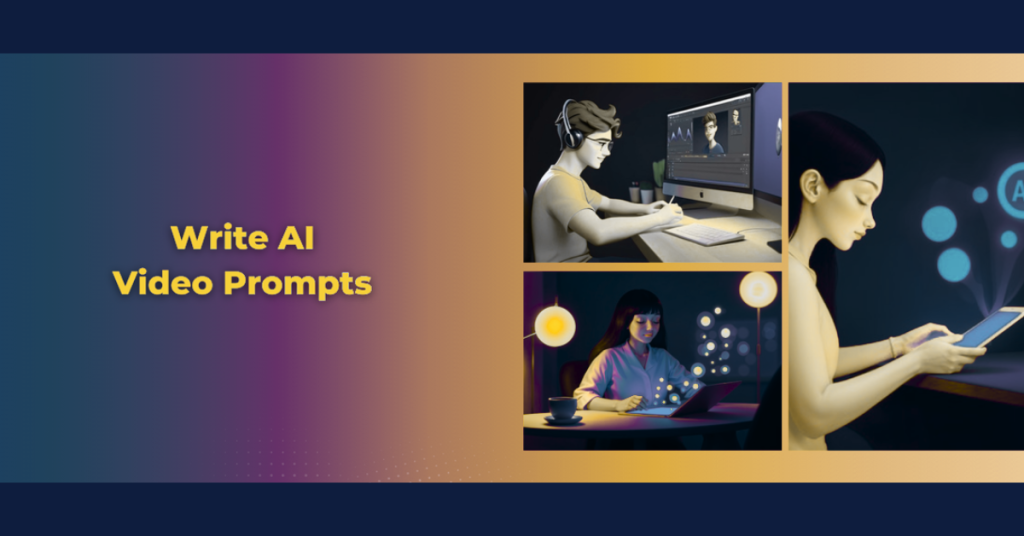
AI video generation is transforming digital content creation, allowing creators to produce high-quality videos using simple text prompts. One of the most important creative choices in this process is camera movement. Just like traditional filmmaking, static shots and dynamic shots create very different visual experiences.
Understanding the difference between static vs. dynamic shots in AI-generated video can help you create more engaging, cinematic, and professional-looking results. This guide explains how each camera style works, when to use them, and which option delivers the best stability and storytelling impact.
What Are Static Shots in AI Video Generation?
A static shot uses a fixed camera position where the camera does not move. In these shots, there is no zooming, panning, tilting, or tracking; all movement happens solely within the frame.
Key Characteristics of Static Camera Control
- Fixed camera with no motion
- Clear and stable visuals
- Focus remains on the subject or action
- Minimal risk of AI rendering errors
Best Uses for Static Shots
Static shots are widely used because they are easier for AI models to interpret. They are ideal for:
- Interviews and talking-head videos
- Product demonstrations where clarity is key
- Educational and explainer videos
- Emotional close-ups that focus on expressions
What Are Dynamic Shots in AI Video Generation?
Dynamic shots involve camera movement that adds motion and energy to a scene. These movements include pans, dollies, tracking shots, crane shots, and arc movements. While they help AI-generated videos feel more immersive and film-like, they require precise AI video prompts to avoid glitches.
Common Types of Dynamic Camera Movements
- Pan shots: Horizontal camera movement.
- Dolly shots: Camera moving forward or backward.
- Tracking shots: The camera follows the subject.
- Crane or arc shots: Sweeping or circular movement.
Best Uses for Dynamic Shots
Dynamic shots introduce movement that enhances storytelling and viewer engagement. They work best for:
- Cinematic storytelling
- Action and chase scenes
- Scene transitions
- Establishing shots and environment reveals
Comparison: Static vs. Dynamic Shots in AI Video Generation
There is no one-size-fits-all answer; the best choice depends on your video goal. Use the table below to compare the two styles.
| Feature | Static Shots | Dynamic Shots |
| Camera Movement | None | Present |
| AI Stability | High | Medium |
| Cinematic Appeal | Low to moderate | High |
| Prompt Difficulty | Easy | Advanced |
| Visual Accuracy | Strong | Can vary |
| Best For | Interviews, products, education | Storytelling, action, transitions |
💡 Pro-Tip: The Hybrid Editing Strategy
Don’t rely on just one style. The most effective AI videos often use a combination of both static and dynamic shots. * Anchor the Viewer: Use static shots for key moments, dialogue, or detailed information to ensure the message lands clearly.
Create Flow: Switch to dynamic shots (like pans or transitions) to move between scenes or ramp up visual interest.
Mixing these styles improves visual flow and keeps the viewer engaged without overwhelming them
The Role of Camera Movement in AI Storytelling
In AI video generation, camera movement is not just a visual choice; it is a vital storytelling tool.
- Static shots create moments of pause and reflection, allowing the story to breathe. They encourage viewers to focus on expressions, details, and spoken content.
- Dynamic shots push the narrative forward by adding motion and energy. They stimulate visual interest and keep viewers engaged through motion, which can increase watch time.
Best Practice: The Hybrid Strategy
Combining static shots for key moments and dynamic shots for transitions and visual interest often produces the best AI video results. By choosing the right shot type, creators can guide viewer attention and shape how a message is perceived.
Static vs Dynamic Shots for Social Media AI Videos
Social media platforms demand immediate attention and fast visual impact. In this context, choosing between static and dynamic shots in AI-generated video depends largely on the platform and the content goal.
Static shots work well for short explanations, talking-head videos, product highlights, and educational content where clarity and message retention matter more than visual motion. A locked camera keeps the focus on the subject and reduces distractions, making these shots ideal for instructional or informational posts.
Dynamic shots, on the other hand, perform better in reels, ads, and promotional clips. Camera movement helps stop users from scrolling, adds energy to short-form videos, and increases engagement in fast-paced social feeds.
By understanding how viewers consume content on social platforms, creators can select the right camera style to maximize reach, watch time, and overall impact in AI-generated social media videos.
💡 Pro-Tip: Match the Shot to the Platform
Best placement: After the “Social Media” section.
Optimize for the scroll. Your camera choice should depend on where the video will live.
- For Reels & Ads: Use dynamic shots. The motion helps stop users from scrolling past your content.
- For Stories & Explainers: Stick to static shots. They work best for short explanations, product highlights, and talking-head content where clarity is more important than flash.
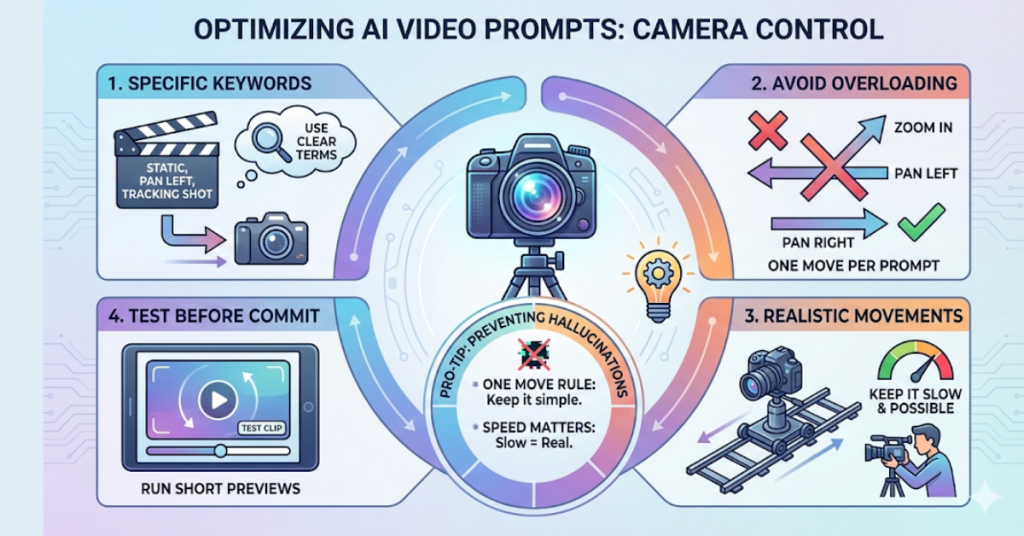
Tips to Optimize AI Video Prompts for Camera Control
AI video prompts define camera movement speed, direction, framing, and angle . Well-written prompts improve realism, while poorly written ones cause visual inconsistencies.
- Use specific keywords: Include terms like “static camera,” “slow pan left,” or “tracking shot”.
- Avoid overloading prompts: Do not combine multiple camera movements in one prompt.
- Keep movements realistic: Ensure camera actions are slow and physically possible.
- Test before generating: Run short clips to verify the AI camera control before committing to a full video.
💡 Pro-Tip: Preventing “AI Hallucinations”
Keep it simple to keep it real. One of the biggest causes of glitchy AI video is overloading the prompt with complex camera instructions. * The “One Move” Rule: Avoid combining multiple movements in a single prompt (e.g., “Zoom in AND pan left”).
Speed Matters: Explicitly instruct the AI to keep movements “slow and realistic”. Fast or complex motions increase the chance of visual distortion.
Conclusion
Both static and dynamic shots play a powerful role in AI-generated video creation.
- Static shots provide stability, clarity, and consistency, making them ideal for interviews and educational content.
- Dynamic shots introduce motion and cinematic energy that enhance storytelling.
Rather than choosing one style over the other, the most effective videos use a thoughtful mix of both. By mastering AI video prompts and aligning shot choices with your content goals, you can produce videos that feel polished, immersive, and professional.
Frequently Asked Questions
What are static shots in AI-generated video?
Static shots use a fixed camera with no movement, making them ideal for stable, clear, and detail-focused AI-generated videos where consistency and visual accuracy are important.
What are dynamic shots in AI videos?
Dynamic shots include camera movements such as panning, tracking, and dolly movements. These shots add cinematic motion and energy to AI-generated videos but require precise prompts.
Which is better for AI video creation: static or dynamic shots?
Both have their use cases. Static shots provide clarity and stability, while dynamic shots enhance storytelling and cinematic appeal. The best results often come from combining both styles strategically.
Why do dynamic shots sometimes cause AI video glitches?
Dynamic shots require complex camera instructions. If prompts are unclear, unrealistic, or overloaded with multiple movements, AI models may struggle to maintain visual consistency, resulting in glitches.
Are static shots better for beginners using AI video tools?
Yes. Static shots are easier to control, involve simpler prompts, and usually produce more reliable results for beginners working with AI-generated video.
Can static and dynamic shots be combined in one AI video?
Yes. Combining static shots for key moments with dynamic shots for transitions and visual interest often results in more engaging and professional AI-generated videos.
How can I improve AI camera prompts?
Use precise language, avoid combining multiple camera movements in one prompt, test short clips first, and keep camera actions realistic and physically possible.
Keep reading latest updates on NewsX Nation.